
Best Scarlet Skips Mods in 2026: Enhancing Gameplay with Skins, Luck Buffs, and Scripting Tools
Explore the top Scarlet Skips mods to customize your character and boost your stats. Learn about skin menus, luck buffs, and essential scripting tools
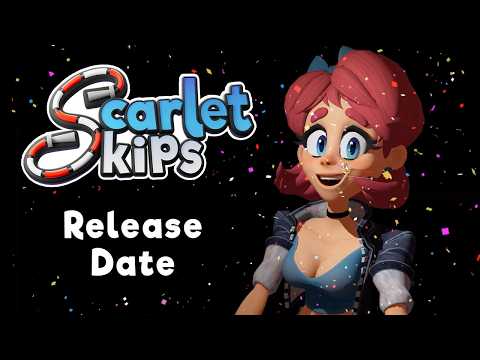 Official mediaExplore the top Scarlet Skips mods to customize your character and boost your stats. Learn about skin menus, luck buffs, and essential scripting toolsYouTube
 Scarlet Skips has quickly become a favorite for fans of arcade-style challenges and precision timing. However, the base game is just the beginning for many players who want to push the boundaries of their experience. Using scarlet skips mods allows you to tailor the difficulty and the visual flair of the game to your exact preferences. Whether you want to play as a famous pop-culture icon or simply make your jump rope catch fire automatically, scarlet skips mods provide the tools necessary to keep the gameplay fresh and exciting.
The modding community for this title has grown rapidly, producing everything from simple texture swaps to complex scripts that alter the game's internal logic. By leveraging these community-created assets, players can bypass some of the more repetitive aspects of the game or introduce entirely new aesthetics that the original developers never envisioned. In this guide, we will break down the essential mods you need to download today.
Understanding the Scarlet Skips Mods Ecosystem
The modding scene for Scarlet Skips is largely hosted on platforms like Nexus Mods, where creators share their latest projects. Most of these modifications fall into two primary categories: cosmetic overhauls and gameplay scripts. Cosmetic mods change how Scarlet or her environment looks, while scripts change how the game actually plays.
To get started, most players will need a few "utility" mods. These don't change the game themselves but provide the framework necessary for other mods to function. For example, the UE4SS scripting framework is a vital component for any mod that tries to inject new logic into the game's engine. Without these foundational tools, many of the more advanced scarlet skips mods simply won't load.
| Mod Type | Primary Function | Example |
|---|---|---|
| Framework | Provides the backend logic for other mods to run. | UE4SS Loader (The Rope Ladder) |
| Skin Menu | Allows players to switch between different character looks. | Scarlet Skin Menu |
| Cosmetic | Changes character models, textures, or clothing. | Mialygosa Skin, Banana Suit |
| Gameplay | Modifies stats, abilities, or game physics. | Luck Be A Lady, This Rope Is Lit |
Essential Frameworks: The Rope Ladder
Before you can dive into the fun stuff, you must install the technical prerequisites. Community reports consistently highlight "The Rope Ladder" (a custom implementation of the UE4SS scripting framework) as the most important download for any aspiring modder. This tool allows the game to recognize and execute external scripts.
Player experience suggests that installing this framework is relatively straightforward: you typically extract the files into the game's installation directory. Once active, it sits quietly in the background, enabling features like automatic stat increases or visual effects that aren't tied to standard character skins. If you skip this step, many of the best scarlet skips mods will fail to initialize, leading to crashes or simply no changes appearing in-game.
Why UE4SS is Critical
The the game engine 4 Subsystem (UE4SS) is a powerful tool used across many modern games. In Scarlet Skips, it acts as a bridge. For instance, if a mod wants to check the state of your jump rope every 600 milliseconds to see if it should be on fire, it needs UE4SS to "talk" to the game engine.
Character Customization and Skin Menus
One of the most popular ways to use scarlet skips mods is through visual customization. The "Scarlet Skin Menu" is a game-changer in this regard. Instead of manually replacing files every time you want a new look, this mod adds a functional menu to the title screen, Game Over screen, and even the power-up selection screen.
This shared menu system allows for a "plug and play" experience with various skin packs. Once the menu is installed, you can download individual skins and toggle them on or off at will. This versatility is a major reason why the visual modding community has flourished so quickly.
| Skin Name | Description | Key Features |
|---|---|---|
| Mialygosa | A fantasy-themed overhaul. | Silver-white hair, dark horns, blue/white clothing. |
| Princess Daisy | The classic Nintendo royalty. | Signature yellow and orange dress. |
| CJ | The protagonist from GTA: San Andreas. | Full model replacement for the iconic character. |
| Banana Suit | A purely comedic cosmetic choice. | Scarlet dressed in a giant yellow banana costume. |
| Red Glossy | A high-shine texture overhaul. | Makes Scarlet's entire outfit bright red and reflective. |
| Pudgy Scarlet | A humorous take on the character's physique. | Altered character model reflecting a "different diet." |
Gameplay Enhancements and Stat Tweaks
While skins are fun, many players look for scarlet skips mods to help them overcome difficult milestones or to experiment with "god-tier" builds. These mods often automate the acquisition of buffs that would otherwise require specific card drops or long-term grinding.
One of the most downloaded gameplay mods is "Luck Be A Lady." According to the mod description, this script increases Scarlet’s luck stat by +5 every five seconds. Because luck influences the quality of drops and occurrences in the game, this mod essentially ensures that your run gets progressively easier the longer you survive.
Another popular choice is "This Rope Is Lit," which automatically triggers the "Ignite Jumprope" effect. Normally, this requires a specific upgrade card, but the mod forces the effect to stay active indefinitely. This is perfect for players who love the visual flair of a flaming rope without wanting to rely on RNG (random number generation) to get it.
| Gameplay Mod | Effect | Requirement |
|---|---|---|
| Luck Be A Lady | +5 Luck every 5 seconds (Automatic) | UE4SS Loader |
| This Rope Is Lit | Permanent flaming jump rope effect | UE4SS Loader |
| Rope Hits The Gym | Increases rope speed/damage stats | UE4SS Loader |
| All Black (Barefoot) | Aesthetic change with no shoes | Scarlet Skin Menu |
The "Nude" Mod Phenomenon
It is worth noting that, like many games with a dedicated modding community, Scarlet Skips has a variety of "adult" or "nude" mods. These typically involve skin replacements that remove the character's clothing or provide "Deep Cocoa" variations of the base model.
While these aren't for everyone, they represent a significant portion of the total downloads on sites like Nexus Mods. Community reports indicate that these skins are compatible with the Scarlet Skin Menu, allowing users to switch them in and out just like any other cosmetic mod. Regardless of personal preference, the existence of these mods demonstrates the total creative freedom the community has embraced.
Step-by-Step Installation Guide
If you are new to using scarlet skips mods, the process can seem intimidating. However, most mods follow a standard installation path. Following these steps will ensure that your game remains stable while you enjoy your new content.
- Backup Your Save: Always copy your save files to a safe location before modding.
- Install the Loader: Download "The Rope Ladder" (UE4SS) and extract it into your game's root folder.
- Add the Skin Menu: Download the "Scarlet Skin Menu" and place it in the designated
PaksorLogicModsfolder. - Download Skins: Choose your favorite skins (like Princess Daisy or CJ) and add them to your mods folder.
- Enable Gameplay Scripts: For mods like "Luck Be A Lady," ensure the script files are in the
Scriptsfolder created by UE4SS. - Launch the Game: Check the title menu to see if the Skin Menu appears.
| Step | Action | Common File Location |
|---|---|---|
| 1 | Install UE4SS | [GameFolder]/Binaries/Win64/ |
| 2 | Install Skin Menu | [GameFolder]/Content/Paks/~mods |
| 3 | Add .pak Skins | [GameFolder]/Content/Paks/~mods |
| 4 | Add .lua Scripts | [GameFolder]/Binaries/Win64/Mods/ |
Community-Sourced Tips for Stability
Based on player experience shared in forums, there are a few things to keep in mind to prevent your game from breaking. First, always check the "Published Time" of a mod. Since Scarlet Skips receives updates, a mod from early 2026 might not work perfectly after a major game patch.
Secondly, be careful with "stacking" gameplay mods. If you have multiple mods trying to change the same stat (like luck or rope speed), they may conflict, leading to erratic behavior or game crashes. It is usually best to enable one major gameplay mod at a time to see how it affects your performance.
Finally, remember that some mods, like "Luck Be A Lady," cannot be toggled off in-game. To stop the effect, you must physically remove the mod file from your folder. This "always-on" nature is a common trait of simple UE4SS scripts.
For more information on the base game and official updates, you can visit the Steam Store to see the latest developer news and community hubs.
The Future of Scarlet Skips Modding
As we move further into 2026, the variety of scarlet skips mods is expected to grow. We are already seeing creators move beyond simple skins and into the realm of custom levels and new game modes. Some community members are even discussing the possibility of a "multiplayer" mod, though that remains a highly technical challenge.
The beauty of the modding community is its unpredictability. One day you might be downloading a serious performance optimization, and the next, you’re playing as a giant banana jumping over a flaming rope. This creativity is what keeps the game alive long after the initial release.
Frequently Asked Questions
Where can I find the best scarlet skips mods?
The most reliable source for these mods is Nexus Mods. You can find a wide variety of skins, gameplay tweaks, and the essential UE4SS loader there. Always check the download count and user endorsements to ensure you are getting a high-quality file.
Do I need a special program to run these mods?
Yes, most advanced scarlet skips mods require the UE4SS framework, often referred to by the community as "The Rope Ladder." This allows the game to process custom scripts. Additionally, the "Scarlet Skin Menu" is highly recommended for managing multiple character appearances easily.
Can I get banned for using mods in Scarlet Skips?
Since Scarlet Skips is primarily a single-player experience, there is currently no risk of being "banned" in the traditional sense. However, using mods that significantly alter gameplay can affect your ability to compete on official leaderboards if the game has them. Always read the mod description to see if it disables achievements or online features.
Why isn't my skin mod showing up in the game?
This usually happens for one of two reasons: either you haven't installed the "Scarlet Skin Menu" prerequisite, or the mod file is in the wrong folder. Ensure all .pak files are in a folder named ~mods inside your game's Paks directory. Also, make sure the mod is compatible with the current version of the game.